Print Edition · By Pixels & Pages Co. · Google Sheets
Type the date you want to be debt-free. It tells you the exact extra payment.
No other debt tracker works backward. Run one menu command and Cents of Direction solves the exact monthly payment that gets you to your target date — live, in the sheet. Then the What-If Lab compares Snowball, Avalanche, and Credit Score Focus side by side for your real numbers. Clean, white, and built to hold up on paper.
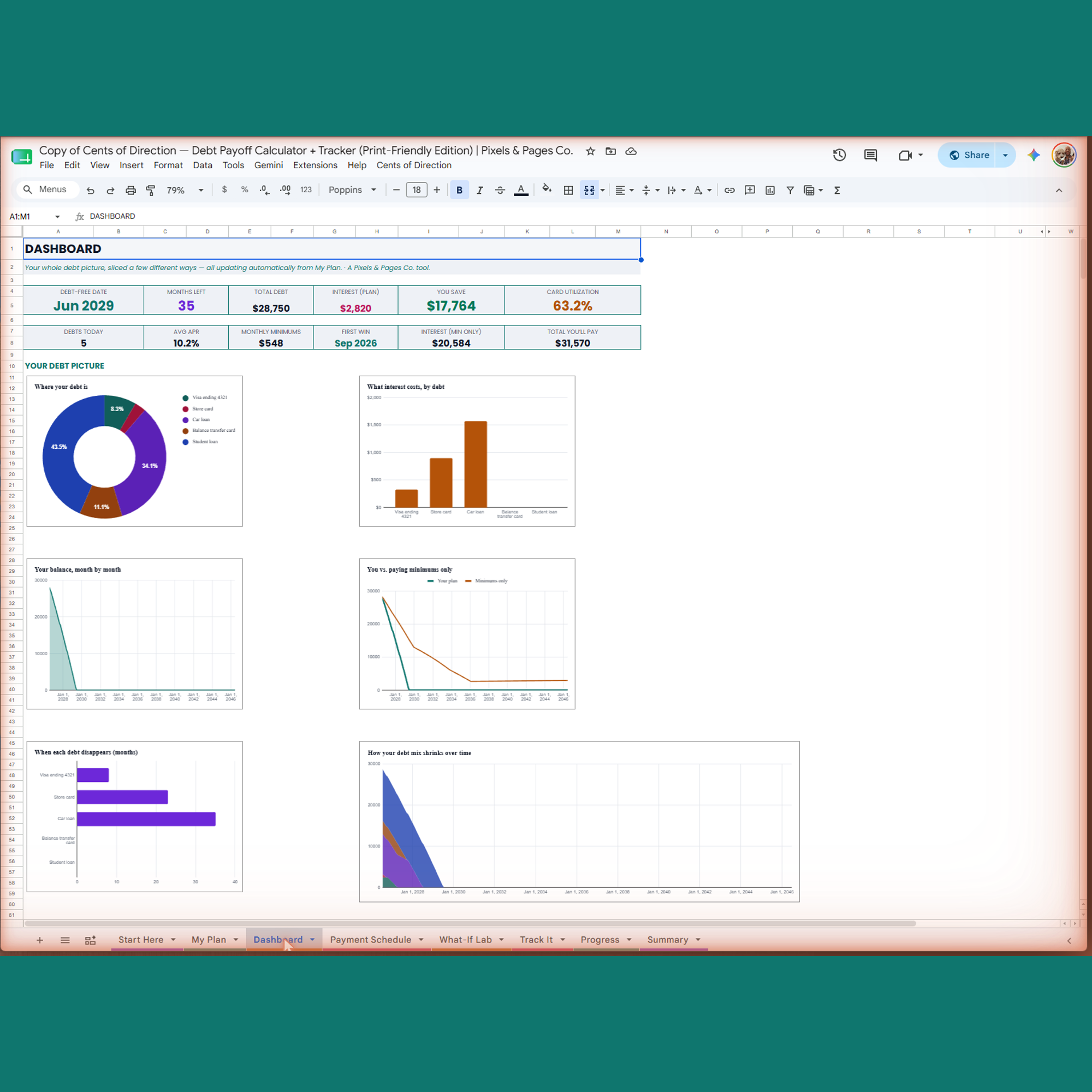
Most debt spreadsheets only work one direction — you pick a payment, it tells you a date. This one also works backward.
The reveal no one else offers
Watch it solve YOUR payment, live
Type the date you want to be debt-free into one cell, run a single menu command, and the sheet solves the exact extra monthly payment that gets you there — updating your real plan in front of you.
Then compare all three methods, live
Change one number and watch Snowball, Avalanche, and Credit Score Focus all re-solve side by side — not a static table, a real sandbox for your real numbers.
Who this is for
Built clean and white from the ground up, so it works equally well on screen or on paper.
You print and write by hand
Toner-friendly accent colors and a white background — print any tab without draining a cartridge.
You share pages with someone else
Hand a printed page to a partner or accountability buddy without a jet-black background.
You just prefer light interfaces
No judgment — screens are personal. Every color here was chosen for clarity and contrast on white, not squeezed in as an afterthought.
What's inside — 7 connected tabs
Start Here · My Plan · Dashboard · Payment Schedule · What-If Lab · Track It · Progress. Up to 40 debts, 20-year horizon.
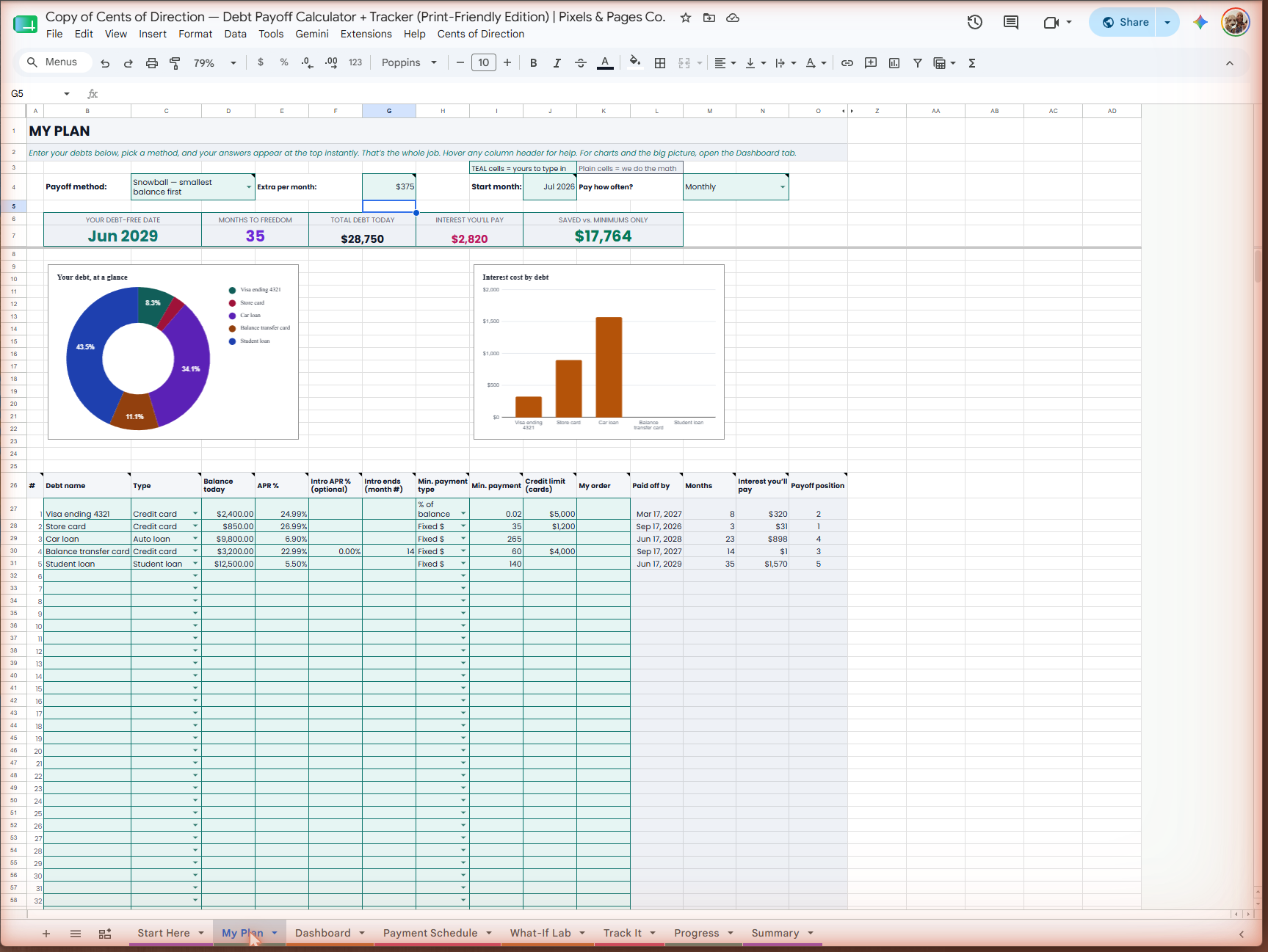
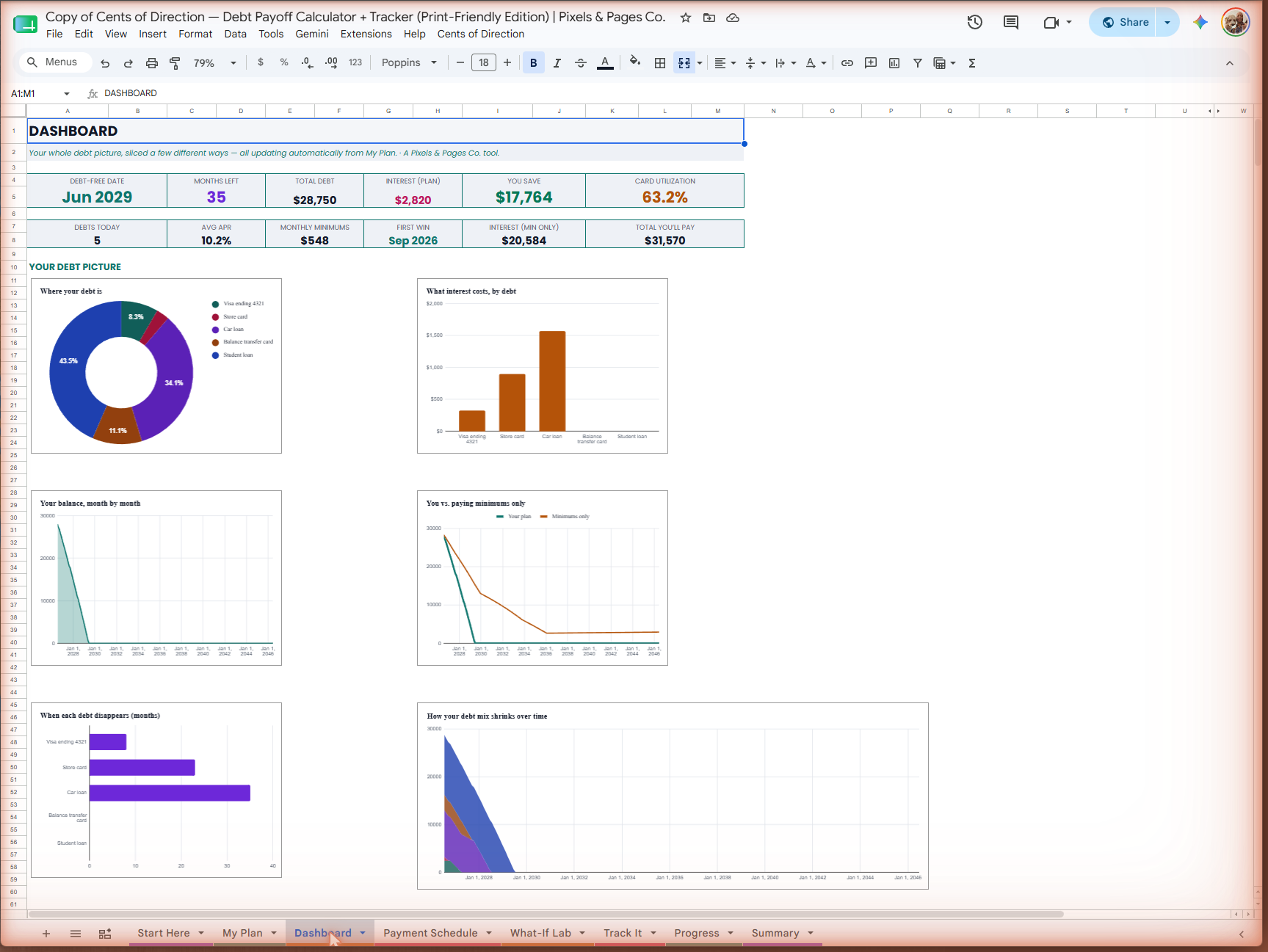
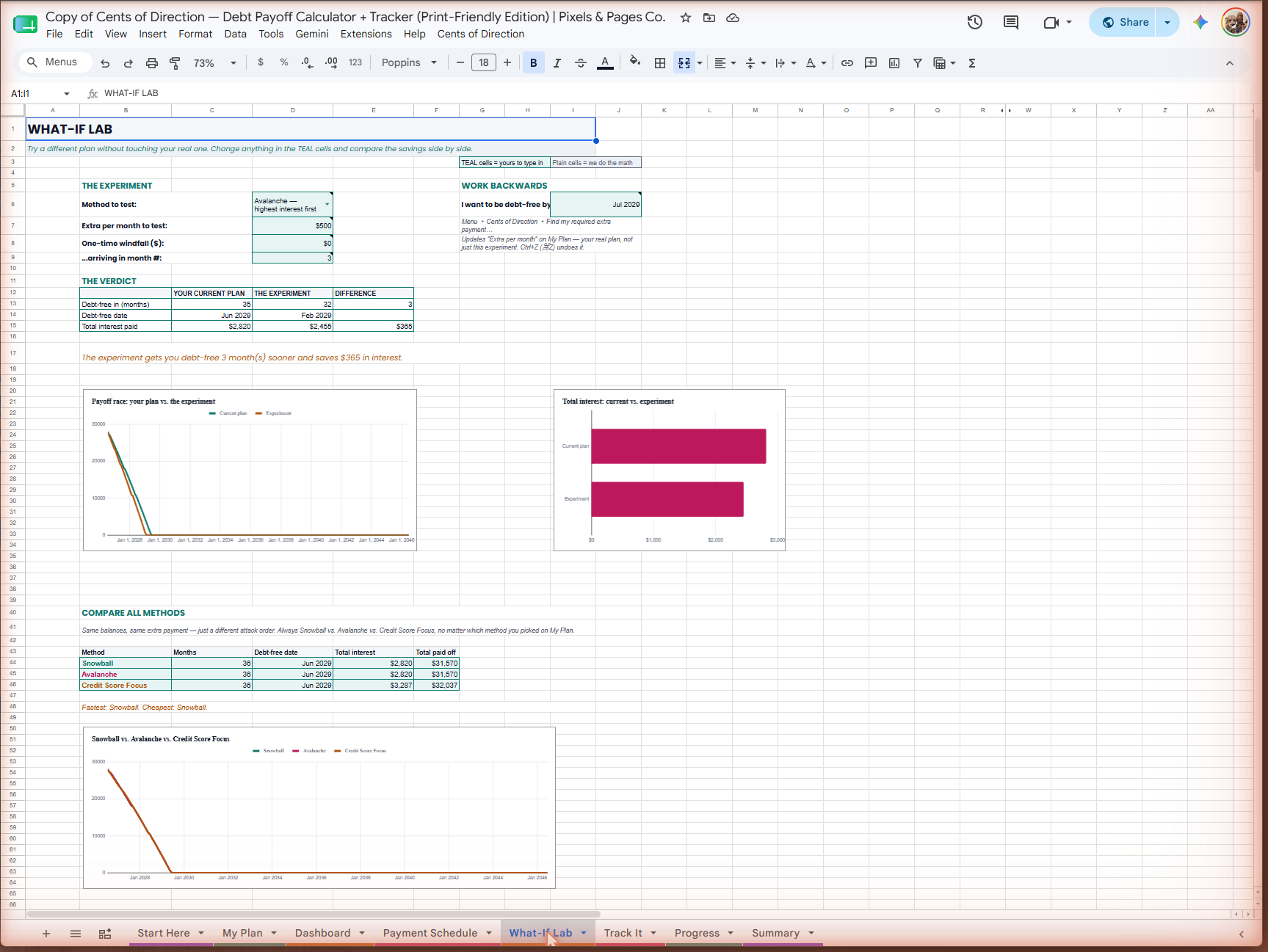
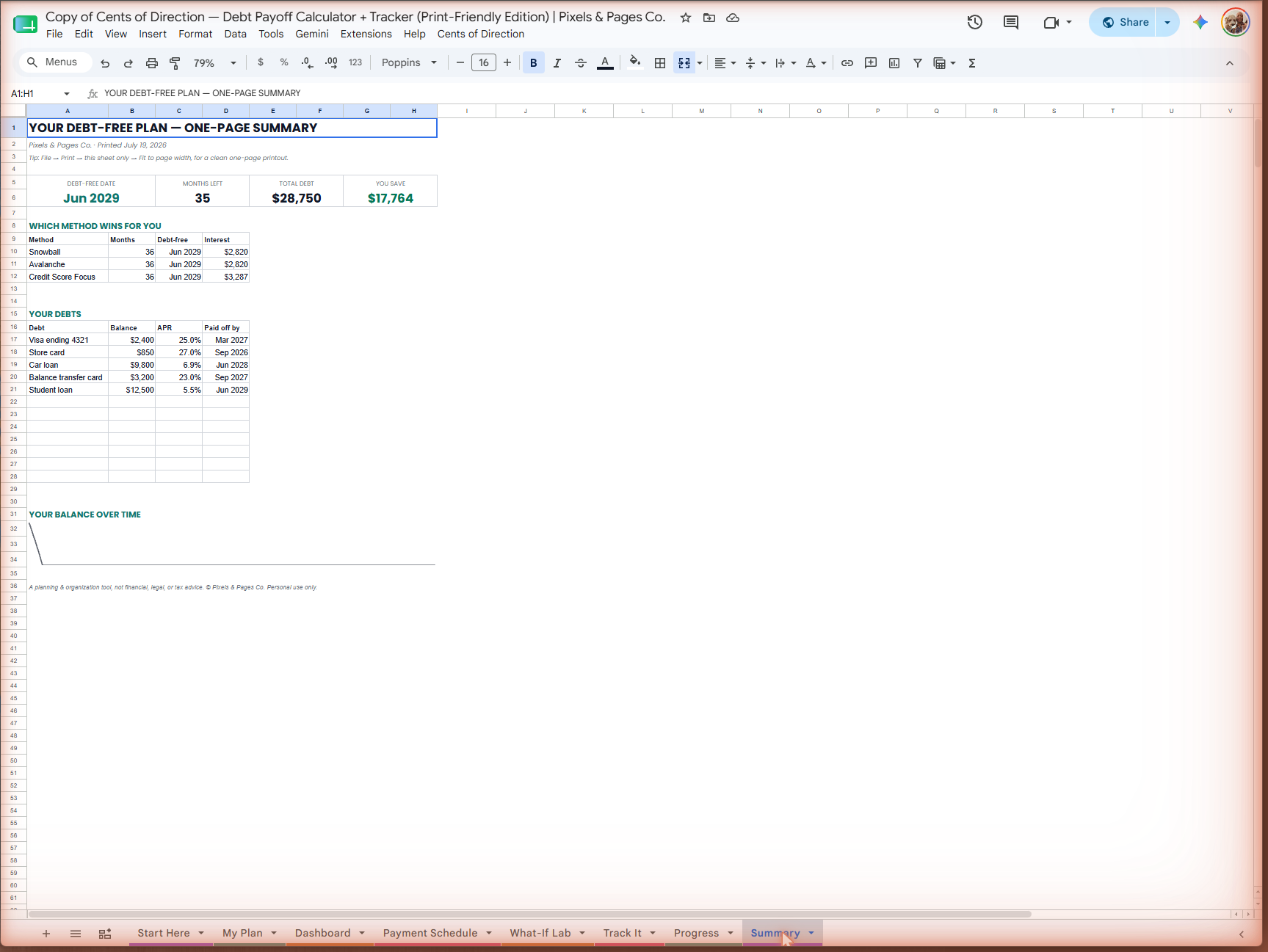
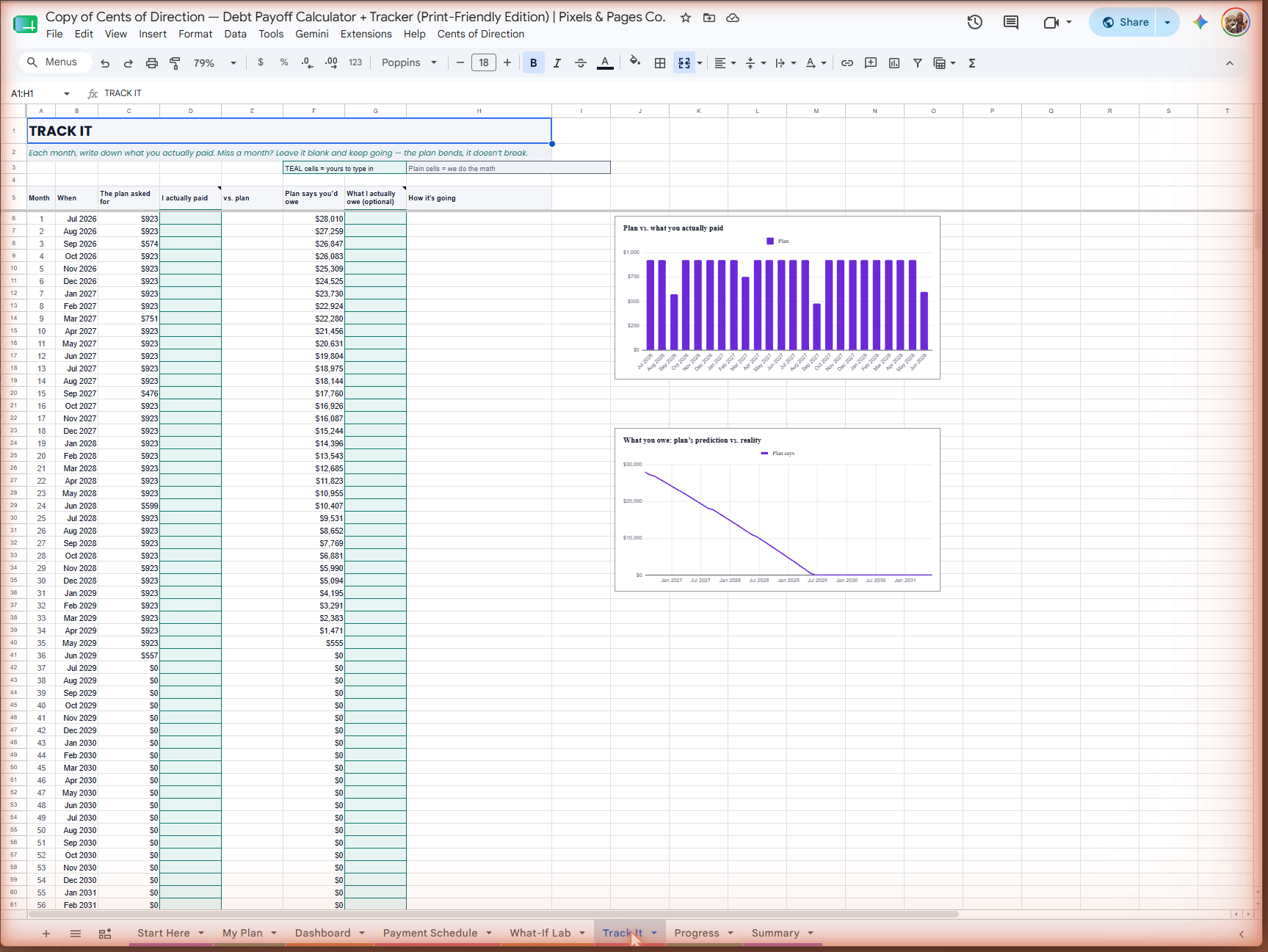
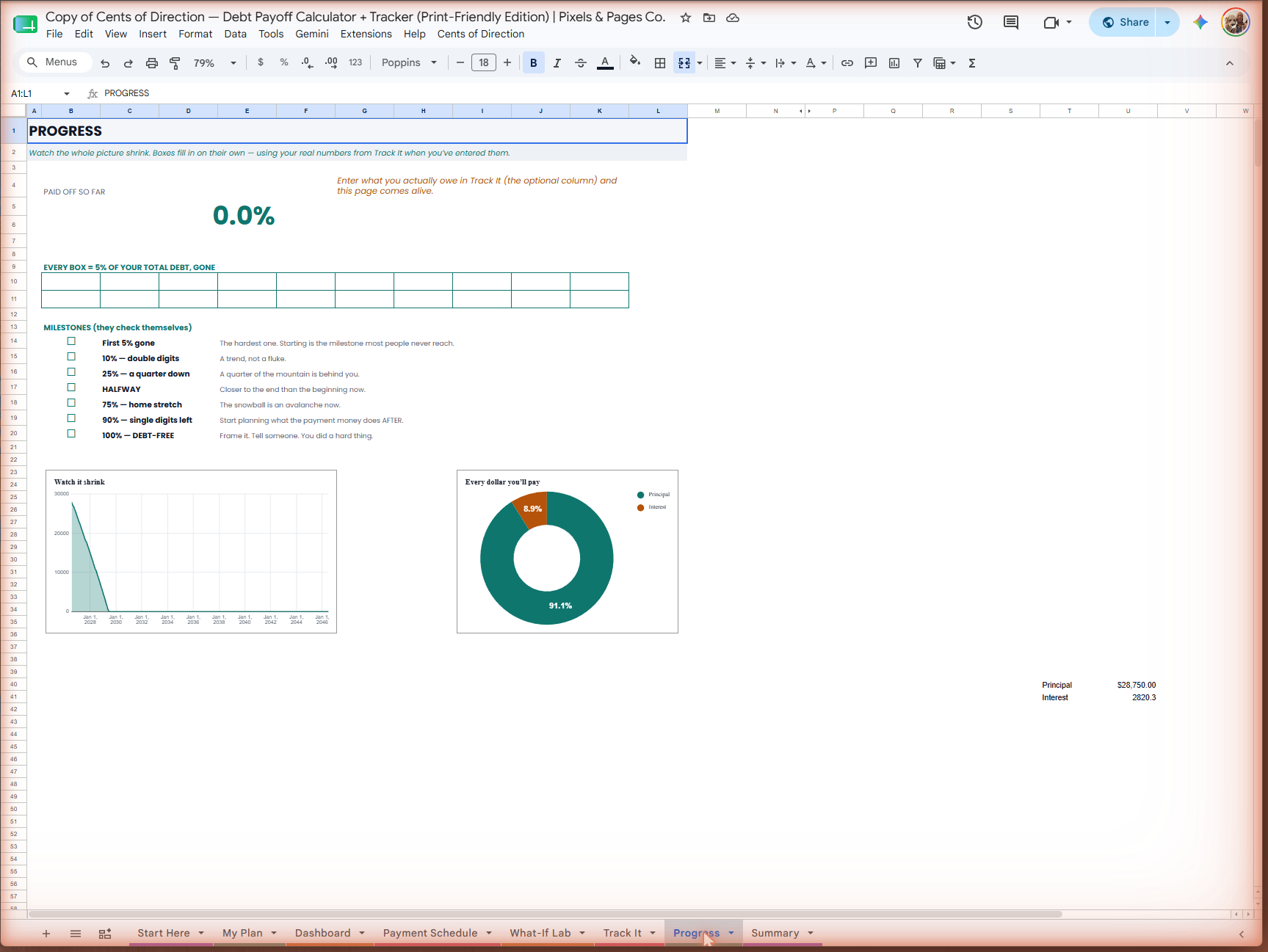
Real screenshots of the actual Google Sheet — nothing here is a mockup.
No spam. Unsubscribe any time. We'll never sell your email.
Prefer no email? Get the free PDF instantly on Gumroad →
Four ways to attack your debt
Pick the one you'll actually stick with — or let the sheet show you which wins for your real numbers.
Snowball
Smallest balance first — quick wins build momentum.
Avalanche
Highest interest first — mathematically cheapest.
Credit Score Focus
Highest card utilization first — fastest score lift.
Your Own Order
Rank debts however matters most to you.
"Built by the same people behind Focus OS and Cents & Sensibility. If it makes the math less scary, it did its job."
— Pixels & Pages Co. 💛
Questions, answered plainly
Will it actually look good printed?
Yes — every tab was designed against a white page from the start, with muted accent colors chosen for AA-level contrast and toner economy, not just "readable enough." Print any tab straight from Google Sheets.
There are free debt spreadsheets — why pay for this?
Most free trackers run one direction: you enter a payment, they tell you a date. This one also runs backward — type the date you want to be debt-free and it solves the exact payment that gets you there, then compares Snowball, Avalanche and Credit Score Focus side by side on your real numbers. If that reverse calculation isn't something you need, a free tracker will serve you perfectly well.
Google shows a warning about a script — is that normal?
Yes, and it's expected. The solver runs on Google Apps Script, so before you copy the sheet Google tells you the attached script will be copied too, and the first time you run the solver it asks you to authorise it. That's Google's standard flow for any spreadsheet with a menu command. If you'd rather not authorise anything, the workbook still works as an ordinary spreadsheet — the one feature that needs the script is the reverse solver.
I don't see the Cents of Direction menu
Give it a few seconds. Google draws custom menus after the rest of the sheet has finished loading, so on first open the menu shows up a moment later than everything else. If it still isn't there, reload the tab once.
Is this a PDF or a Google Sheet?
A live Google Sheet, not a PDF. After checkout you'll get a link to click "Make a Copy" — it lands in your own Drive, fully editable, no plugin or login beyond your normal Google account.
Do I have to pick a method right away?
No — What-If Lab always shows Snowball vs. Avalanche vs. Credit Score Focus side by side for your real numbers, so you can compare before committing, and change your mind later without losing anything.
Can I see all four methods compared everywhere, or just on one tab?
The What-If Lab tab is exactly where that happens — it automatically compares Snowball, Avalanche, and Credit Score Focus side by side, using your real numbers. Every other tab (My Plan, Dashboard, Payment Schedule, Track It, Progress) follows whichever single method you've chosen on My Plan, and "Your own order" is a 4th option you can select there too — it just sits outside the automatic 3-way comparison since it's a custom ranking, not a fixed formula.
Is this financial advice?
No. This tool offers general organization and planning structure, not financial or legal advice. For decisions specific to you, talk to a licensed professional.
Is there a dark / dashboard version?
Yes — the exact same calculator, including the reverse goal-seek and What-If Lab, with a dark, dashboard-style look, sold separately as the "Dashboard Edition." See it here →
How does the reverse goal-seek actually work?
Type your target debt-free date into the What-If Lab's "Work Backwards" section, then run the command from the sheet's own Cents of Direction menu. It solves for the exact extra monthly payment that gets you there and shows you the number — all inside your own copy, no add-ons or external tools involved. (The first run asks for a one-time Google authorization — normal for any custom Sheets menu, not a bug.)
One price. Everything included.
$12, one time. Was $24. Both editions, lifetime updates, and a 30-day money-back guarantee — no subscription, no upsell.
$24 $12
One fixed price at the secure Gumroad checkout. Instant access, yours forever.
I want thisInstant access after checkout. Secure payment via Gumroad.
Prefer the dark, dashboard-style layout? See the Dashboard Edition →
Want both looks? Get the Complete Set — $24 $12 →
Ready to see it on paper?
One live sheet. Four methods. Zero ink-heavy backgrounds.
I want this